University terms end with a familiar ritual: students close their laptops, pack away textbooks, and leave behind a digital mess of lecture slides, scanned readings, and hastily typed notes. Most of these files sit untouched in cluttered folders until the next term begins. At that point, finding a specific reference or revisiting key concepts becomes a frustrating hunt through poorly labelled PDFs and scattered Word documents.
Between terms, there’s a rare window to bring order to this chaos. A few simple steps can turn a disorganised collection of study materials into a system that actually works. Sorting files by module, renaming documents with clear labels, and converting static PDFs into editable formats makes revision far less stressful when deadlines return.
Keep reading as this article outlines practical ways to tidy up study notes during term breaks.
Why Term Breaks Offer the Best Window for Organising Study Notes
Term breaks give students mental distance from active coursework. That distance makes it easier to review notes with fresh eyes and spot gaps that were invisible during lectures. UK university terms typically run between ten and twelve weeks, followed by breaks of four to six weeks. This natural rhythm creates a dependable review cycle.
Students who reorganise notes between terms often feel more confident in exam preparation. Leaving note organisation until the night before an exam can lead to wasted revision time and increased stress. During active revision, cognitive load is already high. This makes it harder to remember where files are saved or what content is missing.
Sorting materials while topics are still recent helps prevent confusion over forgotten content. It reduces the last-minute scramble for missing documents. Taking action during a quieter break means students can focus on actual study when exam time arrives. This approach can make revision materials easier to access when they are needed most.
Establishing a Module-Based Folder Architecture
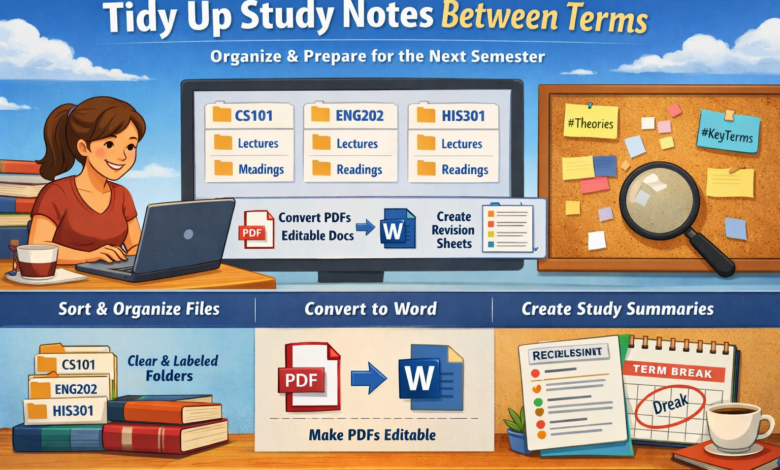
A clear folder structure is the foundation of any workable note system. The most reliable approach for university students is to mirror the structure of the university’s own virtual learning environment. Creating top-level folders using module codes, such as CS101 or ENG202, makes cross-referencing straightforward and consistent. Within each module folder, separate subfolders for lectures, seminars, readings, and assessments keep different content types from merging together.
File naming shapes long-term organisation. Using descriptive names with both dates and module codes helps keep files sorted and easy to recognise. Applying a format such as the year, month, and day plus the module code and a concise topic lets files sort in time order. This method helps students keep revision materials accessible from one term to the next. Consistent naming can help prevent the common problem of duplicate files with vague titles that become impossible to distinguish months later.
Implementing Cross-Module Tagging Systems
Some topics naturally span several modules within a university course schedule. Standard folder structures cannot always link these recurring themes. Using digital note platforms such as Notion or Microsoft OneNote, students can attach custom tags to files and notes regardless of their folder location.
After a term finishes, students should review core notes from each module and identify topics seen elsewhere in the curriculum. A search for a specific theme will then display resources from multiple modules at once. Keeping this tagging habit can reduce wasted time during later study periods and help ensure all related material appears in searches during exam preparation.
Converting PDFs to Editable Formats for Active Revision
Many lecture slides and assigned readings arrive as PDFs. These formats are reliable for sharing but limit what a student can do with the content. Highlighting is possible in some PDF readers, but merging content from multiple sources or adding structured annotations is far more difficult than in a Word document. One practical step during a term break is to convert PDF to Word for key materials that will be needed during revision.
UK universities provide accessibility tools like SensusAccess for format conversion, supporting students with diverse learning needs. Universities including Oxford and Bristol offer SensusAccess through their library systems. These institutional tools prioritise data security and comply with UK accessibility standards. Commercial tools such as Adobe’s online converter preserve formatting while enabling editability. When converting, students should verify that tables, diagrams, and formatting remain intact to avoid information loss.
After conversion, checking for issues such as misplaced tables or altered section headers helps ensure the output is suitable for revision. Where formatting flaws are found, edit the document manually before adding it to revision notes. Editable Word documents allow students to merge content from multiple sources, add personal annotations, and create customised study guides. This flexibility can make static reading materials more practical for revision.
Creating Revision-Ready Reference Sheets
Once notes are organised and core PDFs are in editable form, creating reference materials becomes straightforward. Building a single-page reference sheet for each module summarising main concepts, definitions, and formulae offers a practical way to review material during exam preparation. These sheets should be built using already organised notes. Condensing content into a concise format can support recall without causing information overload.
Use clear headings and visual hierarchy to support quick scanning during revision. Group related concepts under topic headings and use consistent formatting to distinguish definitions from examples. Saving reference sheets as both PDF and Word files covers different scenarios. The PDF version is easy to share or print for quick library revision. The Word version allows updates as the next term unfolds. Placing both versions in a clearly labelled folder at the top level of the file structure means that they remain instantly accessible.
Students who take these steps between terms often find that revision periods run more smoothly. Key materials are already labelled, gathered, and ready for use. Preparing these resources in advance can help avoid time-consuming searches and last-minute document creation when pressure is highest. The time set aside for this work during a term break can bring positive results when exam preparation begins.